
In this blog, I will talk about AI Tools for Auto Gaming Commentary & Captions Fast For Creators To Make Quality Videos.
- Key Point & AI Tools for Auto Gaming Commentary & Captions Fast
- 1. Descript AI
- Descript AI — Features
- Descript AI Advantages & Disadvantages
- 2. Veed.io AI Editor
- Veed. io AI Editor — Features
- Veed.io AI Editor Advantages & Disadvantages
- 3. Opus Clip AI
- Opus Clip AI — Features
- Opus Clip AI Advantages & Disadvantages
- 4. Wisecut AI
- Wisecut AI — Features
- Wisecut AI Advantages & Disadvantages
- 5. Nova AI
- Nova AI — Features
- Nova AI Advantages & Disadvantages
- 6. Runway Gen‑3
- Runway Gen-3 — Features
- Runway Gen‑3 Advantages & Disadvantages
- 7. Synthesia AI
- Synthesia AI — Features
- Synthesia AI Advantages & Disadvantages
- 8. DeepBrain AI
- DeepBrain AI — Features
- DeepBrain AI Advantages & Disadvantages
- 9. Voicemod AI
- Voicemod AI — Features
- Voicemod AI Advantages & Disadvantages
- 10. Kapwing AI Studio
- Kapwing AI Studio — Features
- Kapwing AI Studio Advantages & Disadvantages
- Conclusion
- FAQ
This AI tool automates things like voice commentary, subtitle generation and video editing that not only help YouTubers & streamers to save their valuable time but these also enable content creators on gaming platforms (like Twitch) or social media channels with better accessibility, engagement level and overall performance of the contents.
Key Point & AI Tools for Auto Gaming Commentary & Captions Fast
| AI Tool | Key Points | Best For | Main Feature |
|---|---|---|---|
| Descript AI | All-in-one audio & video editing using text | Gaming commentary editing | Edit video by editing text |
| Veed.io AI Editor | Online AI video editor with auto captions | YouTube & Shorts creators | Automatic subtitles & effects |
| Opus Clip AI | Converts long videos into viral clips | Gaming highlights | AI clip detection & reframing |
| Wisecut AI | Removes silence automatically | Fast gameplay editing | Auto jump cuts & background music |
| Nova AI | Smart subtitle generator | Caption-heavy gaming videos | Multi-language captions |
| Runway Gen-3 | Advanced AI video generation & effects | Creative gaming content | AI video creation & motion tools |
| Synthesia AI | AI avatar video creator | Tutorials & gaming explainers | AI presenter narration |
| DeepBrain AI | Realistic AI human presenters | Gaming news & reviews | AI voice + avatar generation |
| Voicemod AI | Real-time AI voice changer | Gaming commentary | Live voice effects & character voices |
| Kapwing AI Studio | Online collaborative editor | Streamers & beginners | Auto captions, resize & templates |
1. Descript AI
Descript AI a new dawn of all-in-one editing, purposefully targeted to speed up the gaming commentary production for creators. This enables YouTubers to edit videos by editing the text — making it perfect for novices and seasoned pros.

Automatic transcription enables creators to instantly create captions for their gameplay videos, and they can close dialogue mistakes without the need of re-recording. Halfway through your workflow, Descript AI saves you time with commentary via features such as voice cloning of the AI person and elimination from filler words and background noise.
Gaming creators can take raw recordings and quickly refine them into polished, professional content without the hours of manual editing in between, producing pristine audio quality at scale with consistent natural language captions.
Descript AI — Features
- Text-Based Video Editing: We offer a text transcript editing interface to edit your gaming videos. Remove words and it tweaks the film for you.
- AI Voice Cloning: Use your cloned voice to create realistic gaming commentary without further recording.
- Automatic Captions & Subtitles: Instantly generate accurate captions, at scale making your content accessible and engaging for all viewers
- Filler Word Removal: Automatically edits out “um,” pauses, and errors from the audio commentary of a gameplay.
- Multitrack Recording & Podcast Tools: Great for gaming podcasts, collabs & multiplayer commentary edits.
Descript AI Advantages & Disadvantages
| Advantages | Disadvantages |
|---|---|
| Text-based video editing makes editing easy | Free version has limited AI hours |
| Automatic captions & transcription | Heavy projects may lag |
| AI voice cloning for commentary | Requires internet connection |
| Remove filler words automatically | Learning curve for advanced tools |
| Podcast & gaming editing in one platform | Export quality depends on settings |
2. Veed.io AI Editor
Veed. io AI Editor is a browser video editing tool designed for gaming creators, with an emphasis on simplicity and efficiency. Auto subtitle generation Automated Translation for captions — in multiple languages Auto video optimization (Shorts, Tiktok) But there are many solutions to this problem.

During the editing process, Veed. io AI Editor improves gaming commentary with automatic padding, synchronised captions and visual effects to speech. You have AI voiceovers, screen recording and auto-resizing features that allow creators to publish content as quickly as possible.
Gamers need little to no technical know-how whatsoever and can create effective commentary videos, montages or tutorials while improving accessibility with precise subtitles as well as seamless editing workflows.
Veed. io AI Editor — Features
- Auto Subtitle Generator: Automatically add captions to gaming clips for YouTube Shorts and Reels
- AI Background Noise Removal: Removes microphone noises while recording intense gameplay sessions.
- Online Video Editing Studio: Free video downloader — work straight in your web browser without download
- Text-to-Speech Commentary: Quick narration for walkthroughs and tutorials.
- Social Media Export Formats: YouTube, TikTok, Instagram and Shorts-Optimized Exports
Veed.io AI Editor Advantages & Disadvantages
| Advantages | Disadvantages |
|---|---|
| Browser-based editing (no download) | Watermark in free plan |
| Auto subtitles & translations | Rendering can be slow |
| Beginner-friendly interface | Premium tools require subscription |
| Social media format presets | Limited advanced editing control |
| Cloud collaboration support | Internet required always |
3. Opus Clip AI
AI for auto-generating short viral clips from long gaming streams (Opus Clip AI) It utilizes AI to analyze and detect exciting moments in gameplay videos, such as victorious plays by the player, a tense reaction from them or some commentary segment that is genuinely interesting/funny.

While you are in the middle of generating content, Opus Clip AI reframes videos automatically reformatting them with captions and layouts for Shorts&Reels on vertical platforms. It is a super handy tool for streamers looking to get daily content without spending all day editing.
Gaming creators can now have their engines handle all watch-related output (automate clip selection and caption generation) resulting in increased reach, improved engagement via more posts out at the same time across social media.
Opus Clip AI — Features
- AI Viral Clip Detection; Playlist: Automatically captures your favorite gaming moments from long streams
- Auto Caption Animation: Produces motion text that retains viewers longer.
- Short-Form Video Generator: Automatically converts long gameplay videos into viral Shorts.
- Smart Reframing: Just keep th player action in the center for vertical videos.
- Highlight Scoring System: The AI sorts clips depending on how likely it is to get reactions.
Opus Clip AI Advantages & Disadvantages
| Advantages | Disadvantages |
|---|---|
| Converts long gameplay into viral shorts | Limited manual customization |
| AI detects highlights automatically | Works best with speech content |
| Auto captions & emojis | Requires clean audio input |
| Saves editing time | Not ideal for cinematic editing |
| Great for YouTube Shorts & Reels | Free credits limited |
4. Wisecut AI
Wisecut AI is geared towards gaming video editing that automatically eliminates silence, weird falls and repetitive chunks from videos. It recognizes when someone is talking and enables seamless jump cuts to ensure the commentary on gameplay remains engaging.
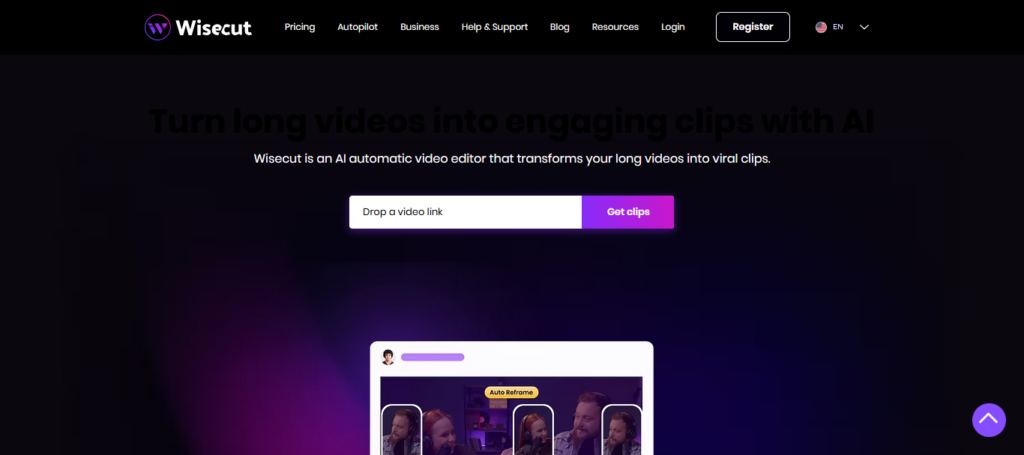
Wisecut AI not only adds background music seamlessly and adjusts the sound levels automatically but also handles everything in a way that seems perfectly professional without the hard work of painstaking manual adjustments to audio at all.
The tool also generates automatic subtitles which makes it much simpler for creators to maintain viewership. Wisecut AI automatically trims down the length of gaming sessions and improves pacing, allowing for dynamic videos that feel more enjoyable to watch while ensuring commentary is natural and easy to follow.
Wisecut AI — Features
- Silence Detection & Removal: Cuts out pauses you take when commentating a gameplay video
- Auto Background Music: Intelligent leveler and sound adder on tracks up to date as of October 2023
- AI Subtitle Creation: Generates captions without manual editing.
- Voice Recognition Editing: It detects parts where someone is speaking and edits that portion accordingly.
- Automatic Jump Cuts: Creates smooth YouTube-style editing instantly.
Wisecut AI Advantages & Disadvantages
| Advantages | Disadvantages |
|---|---|
| Auto silence removal | Less control over cuts |
| Background music auto-adjust | Limited visual effects |
| Auto captions generation | Few advanced transitions |
| Fast editing workflow | Not suitable for complex editing |
| Perfect for commentary videos | Subscription needed for export |
5. Nova AI
The next solution is Nova AI which specializes in professional captioning and subtitle automation for game videos. This employs a speech recognition software that transcribes the voice commentary during gameplay into precise captions just minutes later. When creating videos,
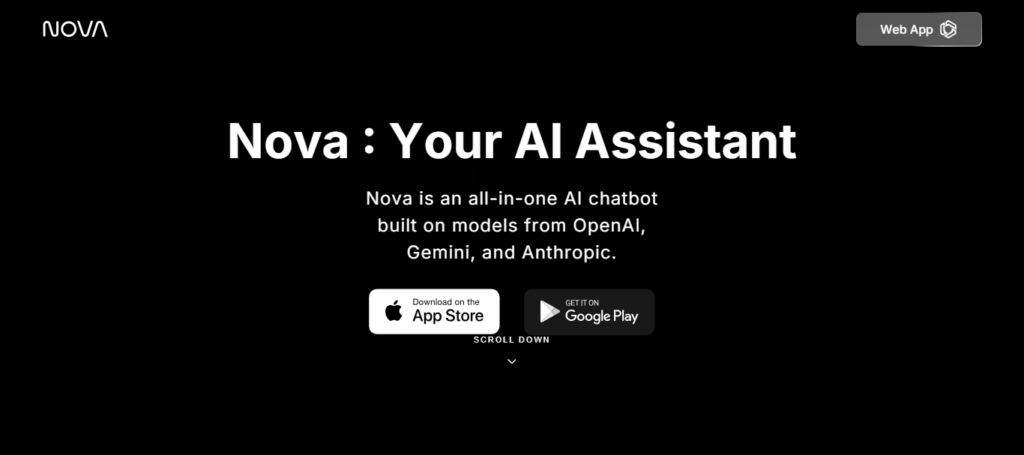
Nova AI provides the ability to customize subtitles visually, select fonts according to creator preferences and translate captions into various languages for a worldwide audience. This is especially useful when you have a gaming channel focusing on foreign countries.
Nova AI is actually going to improve accessibility along with a factor, the vast majority of viewers love watching youtube videos on captions enabled. Automating subtitle workflows enables creators to publish content quickly, at a professional level of presentation.
Nova AI — Features
- Speech-to-Text Transcription: Takes in gaming commentary that is transcribed into subtitles.
- Multi-Language Caption Support: Informs how the gaming creators reach global audience.
- Cloud-Based Editing: The ability to edit projects on-the-go from any device online.
- Timeline Subtitle Editor: Adjust captions precisely with timestamps.
- Team Collaboration Tools: Good for gaming crews and content businesses.
Nova AI Advantages & Disadvantages
| Advantages | Disadvantages |
|---|---|
| AI video tagging & detection | More analytical than creative |
| Subtitle automation | Interface feels technical |
| Multi-language captions | Editing tools limited |
| Smart content organization | Higher learning curve |
| Helpful for large video libraries | Paid plans required |
6. Runway Gen‑3
Runway Gen-3 is an advanced AI-powered video creation tool that allows for advanced manipulation of videos beyond the basic editing. It allows gaming creators to create cinematic shadows, backgrounds and other visual enhancements with artificial intelligence.

Runway Gen-3 (in beta) – An automated tool to enhance gaming commentary videos in the middle of production with AI-generated visuals, motion graphics and scene transitions.
This allows creators to experiment between storytelling styles, make trailers or improve their gameplay highlights by being able to edit it themselves without the need of a professional Gamers can differentiate themselves with a unique visual experience through the platform’s creative automation but still enjoy automated captions and AI-driven editing assistance.
Runway Gen-3 — Features
- AI Video Generation: Make AI-generated game intros, cinematic scenes or effects.
- Background Removal Without Green Screen: Replace gameplay backgrounds instantly.
- Motion Tracking AI: Apply Effects that Follow Characters or Objects Automatically
- Text-to-Video Creation: For commentary or storytelling content (image-based)
- Advanced Visual Effects Tools: It works 30x faster than manual editors AI automation gives you professional-level agility
Runway Gen‑3 Advantages & Disadvantages
| Advantages | Disadvantages |
|---|---|
| AI video generation from prompts | Requires powerful internet |
| Background removal & effects | Can be expensive |
| Creative cinematic editing | Learning curve for beginners |
| Motion tracking tools | Not optimized for long gameplay |
| Advanced AI visuals | Processing time varies |
7. Synthesia AI
Synthesia AI lets creators create videos with using AI avatars to deliver scripted gameplay. Instead of recording voice overs in person, creators can type their scripts and push a button for realistic narration on the spot!
Whilst creating content, Synthesia AI takes the text input and generates audio output to accompany an avatar on screen sharing game-play tips or news. Perfect for tutorials, gaming news and educational content.
Synthesia AI is built to support multiple languages and has professional tones for voiceovers that allow creators to keep their commentary output consistent without any recording equipment, making production faster than ever — a perfect option if you want your gaming channel to sustainably continue growing!
Synthesia AI — Features
- AI Avatar Presenters: Make virtual gaming hosts without recording yourself
- Text-to-Speech Narration: Turn Scripts into Natural Commentary Voices
- Multiple Language Voices: Produce multilingual gaming videos easily.
- Studio-Quality Voiceovers: Great for: tutorials, reviews & gaming explainers.
- Script-Based Video Creation: Create complete videos from text scripts
Synthesia AI Advantages & Disadvantages
| Advantages | Disadvantages |
|---|---|
| AI avatars create commentary videos | Limited emotional expression |
| Multi-language voice support | Not ideal for live gameplay |
| No camera or mic needed | Subscription pricing |
| Professional narration quickly | Less customization of avatars |
| Fast explainer content creation | Gaming style may feel scripted |
8. DeepBrain AI
Its focus is on realistic AI human presenters and gaming content automated narration. It can create realistic avatars that do the commentary with reviews or esports news updates. DeepBrain AI takes script writing, right until the video making process and creates stunning presentations with voice synchronicity of expressions in facial features.

Gaming creators can record informational-type videos without appearing on camera in just a click. It does this while conserving time, in addition to being much more professional-looking. DeepBrain AI also provides multilingual voice generation that can help your gaming channel reach a global audience with daily uploads without needing the hassle of recording sessions or an expensive studio setup every time.
DeepBrain AI — Features
- AI Human Presenter Videos: Creates authentic AI presenters for gaming news or updates.
- Real-Time Text-to-Video: Instantly convert gaming scripts to final videos.
- Natural Voice AI: Human-like narration improves audience engagement.
- Auto Caption Generation: Automatic captioning during video creation
- Professional Studio Templates: Ready-made layouts for gaming channels.
DeepBrain AI Advantages & Disadvantages
| Advantages | Disadvantages |
|---|---|
| Realistic AI presenters | Higher pricing tiers |
| Automated narration | Requires script preparation |
| Supports multiple languages | Less suited for action gaming edits |
| Fast video production | Limited creative editing tools |
| Good for tutorials & guides | Needs stable internet |
9. Voicemod AI
The 10 Best Voicemod Alternatives To Create Funny Voips For Free Voicemod AI is an entertainer. It features AI voice filters that can make a creator sound like characters, robots or cinematic narrators when recording gameplay.
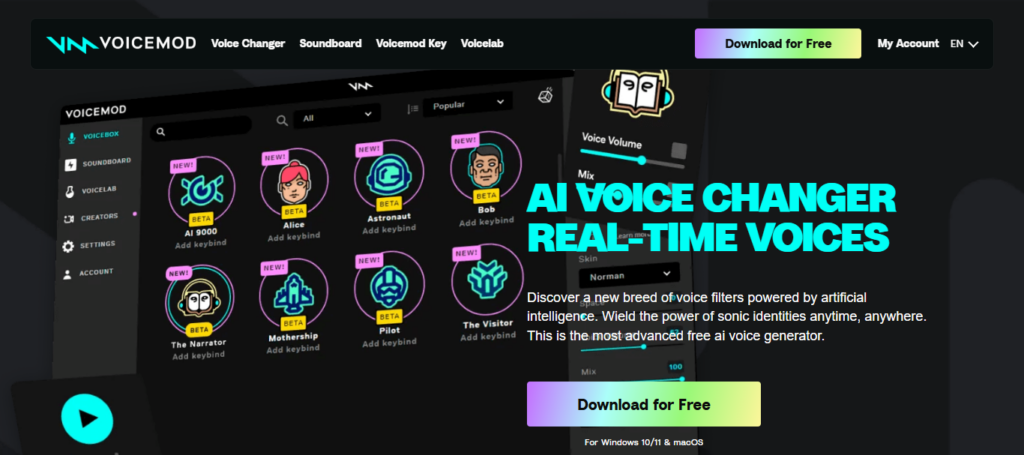
During streaming or recording, Voicemod AI increases the entertainment value of commentary by making it more interactive and engaging for viewers. The tool seamlessly connects with streaming services and games to be able modify voice in real-time without post-editing.
Voicemod AI offers something unique to the rest of these creators as well, allowing gaming content that hinges on comedy and including the personality or voice output method supported by clearer commentary experiences.
Voicemod AI — Features
- Real-Time Voice Changer: Change voice while streaming the gameplay live
- Gaming Character Voices: Talk like robots, or heroes/esque/etc…
- Soundboard Effects: Add memes and reactions in real-time during the recording.
- Streaming Software Integration: Compatible with OBS, Discord and popular streaming applications.
- AI Voice Creation Tools: Build unique gaming commentary personalities.
Voicemod AI Advantages & Disadvantages
| Advantages | Disadvantages |
|---|---|
| Real-time voice changing | Needs microphone setup |
| Fun gaming commentary effects | Some voices behind paywall |
| Works with streaming software | Can affect system performance |
| AI voice generation | Requires configuration |
| Great for roleplay content | Not full video editor |
10. Kapwing AI Studio
Kapwing AI Studio is an online video editing platform for collaboration, where it has been co-designed with creators to quickly and easily produce content.
It automatically captions your videos, removes background noise and resizes gaming clips for various social media platforms. Kapwing AI Studio offers subtitle generation, trimming and visual customization all in a single dashboard to help streamline workflow during editing.
Being web-based, gaming creators can work with teams wherever they are; a great match for collaborative channels! Its AI automation simplifies technical complexity, freeing creators to concentrate on storytelling and gameplay as they rapidly produce professional quality commentary videos.
Kapwing AI Studio — Features
- Automatic Subtitle Generator: Generates subtitles from gaming videos in real time
- AI Video Resizing: Makes landscape embodiment into Shorts or vertical videos.
- Collaborative Editing Workspace: Working with a team online to edit gaming content.
- AI Meme & Clip Creator: Quickly make viral gaming highlights.
- Browser-Based Editing Platform: Installed to edit anywhere Edit without installation.
Kapwing AI Studio Advantages & Disadvantages
| Advantages | Disadvantages |
|---|---|
| Easy caption generation | Watermark in free version |
| Collaborative editing | Cloud-only workflow |
| Meme & gaming clip creation | Limited pro transitions |
| Auto subtitle styling | Export limits on free plan |
| Beginner friendly UI | Heavy files may load slowly |
Conclusion
Gaming creators have started using AI tools for automatic gaming commentary and captions, which is a game changer in how they are creating content today. Instead of investing hours recording voiceovers, editing clips and adding subtitles manually, creators can now automate most parts of the workflow with cutting-edge smart AI.
They include real-time commentary generation, audio enhancement to reduce background noise during gameplay sessions, automatic transcription capability and long-session clips generated for fun highlight videos in a matter of minutes.
Prefferably using tools like Descript AI, Veed. With artificial intelligence tools like AI Editor, Opus Clip AI and KapwingAI Studio at their disposal, gaming YouTubers would now be able to take a load off by channeling more into creativity in gameplay performance or audience interaction as opposed to technical editing work. AI impacts productivity but also increases accessibility with capabilities like multilingual captions and faster publishing schedules.
In conclusion, these AI gaming tools give creators the power to create highly professional-quality videos relieve time and push channel growth while allowing you to keep up with an evolving landscape. AI automation is no longer playing optional—it’s a strategic approach to viral creative today.
FAQ
What are AI tools for auto gaming commentary and captions?
AI tools for auto gaming commentary and captions are smart software platforms that automatically generate voiceovers, subtitles, and highlights for gaming videos. Tools like Descript and Veed.io use speech recognition and machine learning to save creators editing time.
How do AI commentary tools help gaming YouTubers?
AI tools analyze gameplay audio and visuals to create automatic commentary, captions, and edits. Platforms such as Opus Clip and Wisecut automatically remove silence, detect highlights, and improve storytelling speed for gaming creators.
Can AI automatically generate subtitles for gaming videos?
Yes. AI subtitle generators instantly convert speech into captions with high accuracy. Tools like Kapwing and Nova AI provide auto-captioning, multilingual subtitles, and synchronized text overlays perfect for gaming uploads.
Which AI tools create AI avatars for gaming commentary?
AI avatar platforms allow creators to generate virtual presenters without recording voice or face footage. Synthesia and DeepBrain AI can create realistic AI hosts delivering gaming commentary automatically.
Are AI gaming commentary tools beginner-friendly?
Most AI video tools are designed for beginners. Platforms like Runway provide drag-and-drop interfaces, automated editing, and one-click caption creation, allowing new gaming creators to produce professional videos quickly.