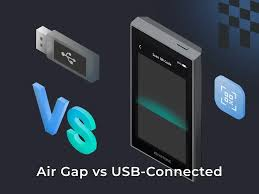

In this article, I will explore the Top Air-Gapped Signing Tips for Keystone Wallet Security, covering what practices are most important for safeguarding cryptocurrency via completely offline secured transaction signing.
- Understanding Air-Gapped Signing
- Best Practices Summary
- Top Air-Gapped Signing Tips for Keystone Wallet Security
- 1. Always Keep Keystone Offline
- Always Keep Keystone Offline Benefits & Drawbacks
- Always Keep Keystone Offline
- 2. Verify QR Codes Carefully
- Verify QR Codes Carefully Benefits & Drawbacks
- Verify QR Codes Carefully
- 3. Use Keystone’s Built‑in Camera Only
- Use Keystone’s Built-in Camera Only Benefits & Drawbacks
- Use Keystone’s Built-in Camera Only
- 4. Cross‑Check Transaction Metadata
- Cross-Check Transaction Metadata Benefits & Drawbacks
- Cross-Check Transaction Metadata
- 5. Enable Passphrase Protection
- Enable Passphrase Protection Benefits & Drawbacks
- Enable Passphrase Protection
- 6. Use Multi‑Sig with Keystone
- Use Multi-Sig with Keystone Benefits & Drawbacks
- Use Multi-Sig with Keystone
- 7. Keep Recovery Seed Offline
- Keep Recovery Seed Offline Benefits & Drawbacks
- Keep Recovery Seed Offline
- 8. Test Signing with Small Transactions
- Test Signing with Small Transactions Benefits & Drawbacks
- Test Signing with Small Transactions
- 9. Update Keystone Firmware Securely
- Update Keystone Firmware Securely Benefits & Drawbacks
- Update Keystone Firmware Securely
- 10. Enable Clear‑Sign Technology
- Enable Clear-Sign Technology Benefits & Drawbacks
- Enable Clear-Sign Technology
- Conclusion
- FAQ
I will elaborate on the functioning of air-gapped wallets, the significance of QR-based verification and the effects of further protection such as passphrase combined with clear-sign technology on the total security of users in Keystone wallet.
Understanding Air-Gapped Signing
A hardware wallet like Keystone uses a method called Air-Gapped signing for optimal security. The Air-Gapped signing method operates in a completely isolated system. This hardware wallet does not need USB, Bluetooth, or WiFi connections to sign transactions.
Instead, the wallet uses QR codes for transactions. The signed transactions and data are transferred directly between the wallet and the companion app. This method ensures private keys stay in the wallet, which makes it more resistant to hacks, malware, and remote access attacks.
Air-gapped systems also require physical confirmation for every transaction directly on the hardware device. This method is currently the most secure for storing cryptocurrency in modern Web3 environments.
Best Practices Summary
- Keeping Keystone totally offline is the only way to ensure full air-gapped protection.
- Signing data in a QR code can be a technical attack. This can be avoided in a signing process by verifying the QR code before signing.
- Isolation prevents attacks through the built-in camera outside the Keystone device.
- Always validate transaction data to mitigate the risks of phishing.
- Hidden wallets are protected by recovery seeds more than passphrase protection.
- Protect unlock and access to funds in a multi-signature setup.
- Protect your recovery seed by keeping it in a safe and secure offline in a physical location.
- Prevent accidental large losses by testing small transactions first.
- The only way to maintain the security and integrity of your device is through official Keystone sources.
- To prevent signing attacks, a Clear-Sign technology is put in place.
Top Air-Gapped Signing Tips for Keystone Wallet Security
| Best Practice | Key Benefit |
|---|---|
| Always Keep Keystone Offline | Prevents internet-based hacks and remote attacks |
| Verify QR Codes Carefully | Avoids malicious transaction tampering via fake QR data |
| Use Keystone’s Built-In Camera Only | Ensures secure scanning without external device exposure |
| Cross-Check Transaction Metadata | Confirms recipient address and amount accuracy before signing |
| Enable Passphrase Protection | Adds an extra security layer beyond the seed phrase |
| Use Multi-Sig with Keystone | Reduces risk by requiring multiple approvals for transactions |
| Keep Recovery Seed Offline | Protects wallet recovery phrase from online theft |
| Test Signing with Small Transactions | Minimizes risk before executing large transfers |
| Update Keystone Firmware Securely | Ensures device has latest security patches without compromise |
| Enable Clear-Sign Technology | Improves transparency by showing readable transaction details before signing |
1. Always Keep Keystone Offline
The foundation for true air-gapped security is having your Keystone hardware wallet completely offline. The fact that it doesn’t connect to WiFi, Bluetooth, or a USB for data transfer greatly reduces the chances of an attack from a distance or a malware attack.

Transactions are internal and signed and sent to their destination through a QR code. The private keys are kept safely within the device and never leave the device in any case.
In Top Air-Gapped Signing Tips for Keystone Wallet Security, having the device completely offline is the most effective way of protecting yourself from phishing and spyware and is therefore the most important tip for protecting your crypto assets.
Always Keep Keystone Offline Benefits & Drawbacks
Benefits:
- No risk from online attacks
- Strong protection of private keys
- Less risk of malware incidents
Drawbacks:
- Less convenient for multiple transactions
- Requires an understanding of a QR-based workflow
- Takes more time to perform the task
Always Keep Keystone Offline
| Feature | Description |
|---|---|
| Air-Gapped Design | Operates without internet connectivity |
| No Wireless Modules | No WiFi, Bluetooth, or cellular access |
| QR-Based Workflow | Uses QR codes for all transactions |
2. Verify QR Codes Carefully
Since QR codes serve as a link between the Keystone device and external applications, they should be validated. One method that a hacker can use is to put a fake QR code that looks legitimate and injects malicious transaction data.
Only scan from a wallet or a verified interface that you trust, and before signing, review the information on the device screen and what the QR code has in it.
In Top Air-Gapped Signing Tips for Keystone Wallet Security, carefully checking a QR code can avoid address transactions and manipulation. Transaction integrity can be compromised when users scan QR codes from a source or screenshot that is unverified.
Verify QR Codes Carefully Benefits & Drawbacks
Benefits:
- Prevents address spoofing attacks
- Confirms authenticity of transactions
- Gives an added manual security layer
Drawbacks:
- Human errors are always a possibility
- Requires great focus every time
- Malicious QR codes are prepared in advance and can achieve their purpose
Verify QR Codes Carefully
| Feature | Description |
|---|---|
| Transaction Encoding | QR contains full transaction data |
| Visual Confirmation | Allows manual verification before signing |
| Tamper Detection | Helps identify altered QR data |
3. Use Keystone’s Built‑in Camera Only
Each Keystone wallet contains a camera designed for QR code scanning. Other cameras or scanners should not be used. Using only the built-in camera of your Keystone wallet will keep transaction data secure and confined.
In Top Air-Gapped Signing Tips for Keystone Wallet Security, the signing process is fully isolated, and the built-in camera should be used exclusively.
Using the built-in camera minimizes the signing process from being reliant on a signing device, which may have been compromised, and ensures that private keys, along with transaction signing, remain in the secure hardware of the device.
Use Keystone’s Built-in Camera Only Benefits & Drawbacks
Benefits:
- Keeps the system fully isolated
- Reduces the risk of using external devices
- Keeps air-gapped integrity
Drawbacks:
- Hardware dependency
- Less flexibility
- Slower scanning opportunity
Use Keystone’s Built-in Camera Only
| Feature | Description |
|---|---|
| Internal Scanner | Secure in-device QR scanning |
| Isolated Processing | No external device interaction |
| Hardware Security | Reduces attack surface risk |
4. Cross‑Check Transaction Metadata
Before any transaction is signed, be sure to check relevant elements of the transaction or transaction metadata, such as the recipient’s address, the tokens being transacted, the network, and the transaction amount.
Many modern crypto hacks are done via a small address change, or by using a transaction data element to cause a change that appears subtle. The Keystone wallet allows users to view this data in a readable way.
In Top Air-Gapped Signing Tips for Keystone Wallet Security, verifying transaction metadata is a defense that should not be overlooked, as it ensures funds are being sent to the correct address. If any transaction data is the least bit incorrect, the transaction should be rejected and a warning should be issued.
Cross-Check Transaction Metadata Benefits & Drawbacks
Benefits:
- Prevents funds from being sent to the wrong address
- Detects tampered transactions
- Improves user accuracy and control
Drawbacks:
- Can be confusing for absolute beginners
- A manual review is required
- Errors can still go undetected
Cross-Check Transaction Metadata
| Feature | Description |
|---|---|
| Full Transaction Details | Shows address, amount, and network |
| Pre-Sign Review | Confirms data before approval |
| Human-Readable Display | Simplifies verification process |
5. Enable Passphrase Protection
Passphrase protection adds yet another extra layer to your wallet. It is like a second password on top of your recovery seed.
Even if someone has access to your seed phrase, they cannot access your funds without the correct passphrase. For those with recovery seed passphrase enabled wallets, wallet security is elevated infinitely against theft and recovery seed attempts.
In Top Air-Gapped Signing Tips for Keystone Wallet Security, enabling a strong and unique passphrase, is essential. Users should never use a passphrase that is predictable and should keep the passphrase stored safely and separated from the recovery seed.
Enable Passphrase Protection Benefits & Drawbacks
Benefits:
- Adds a strong additional layer of protection
- Provides protection if the seed is compromised
- Supports the creation of a concealed wallet
Drawbacks:
- Risk of losing access to the passphrase
- More complicated backup
- User errors can result in irreversible losses
Enable Passphrase Protection
| Feature | Description |
|---|---|
| Extra Security Layer | Works beyond recovery seed |
| Hidden Wallets | Creates separate secure accounts |
| Password-Based Access | Requires passphrase to unlock funds |
6. Use Multi‑Sig with Keystone
Multi-signature (multi-sig) makes it impossible for one person to singlehandedly sign or authorize a transaction. This means that by dispersing signing authority or signing rights across different wallets or devices, one significantly reduces the risk of a single point of failure.
Even if one wallet is compromised, funds remain safe without the other required signatures. In Top Air-Gapped Signing Tips for Keystone Wallet Security, incorporating multi-sig adds a level of security framework that is typical of an institutional level protection for personal or business crypto holdings.
This is especially important for DAO operations and shared accounts where large funds are involved, and where security and traceability are of utmost importance.
Use Multi-Sig with Keystone Benefits & Drawbacks
Benefits:
- Requires multiple approvals
- Avoids single-point security failures
- Ideal for large or shared funds
Drawbacks:
- Complex setup process
- Sluggishness in transaction execution
- Coordination is required among all signatories
Use Multi-Sig with Keystone
| Feature | Description |
|---|---|
| Multiple Approvals | Requires more than one signature |
| Distributed Control | Wallet security shared across devices |
| Fraud Protection | Prevents single-point compromise |
7. Keep Recovery Seed Offline
Recovery seed is the master key to your crypto assets, never should be kept digitally written on paper or engraved on metal. They are safe from being hacked, having malware, or being stolen in the cloud.

They can be stored in a safe and concealed place that is resistant to fire. In the Top Air-Gapped Signing Tips for Keystone Wallet Security, it is essential to keep the recovery seed offline. Whoever has the seed phrase can control the funds. This makes it very important to secure it.
Keep Recovery Seed Offline Benefits & Drawbacks
Benefits:
- Completely safe from online mechanisms
- Provides an ability to recover the wallet
- Backup is easy and dependable
Drawbacks:
- It can be damaged and lost
- Must be stored with care
- Is not easy to substitute
Keep Recovery Seed Offline
| Feature | Description |
|---|---|
| Physical Storage | Written or engraved backup only |
| No Digital Exposure | Never stored online or on devices |
| Full Recovery Access | Restores wallet if device is lost |
8. Test Signing with Small Transactions
You should sign your first transaction to transfer a very small amount of crypto to test if the system is designed to reach the address it is assigned on the right network. This also answers the configuration questions and the set up risks.
In Top Air-Gapped Signing Tips for Keystone Wallet Security, test transactions serve as a safety check. Users can be confident of the proper and secure operation of the Keystone Wallet as the system to protect the assets operates safely and as intended prior to transferring any significant value.
Test Signing with Small Transactions Benefits & Drawbacks
Benefits:
- Large loss is unlikely
- Allows the user to verify the signatory setup
- Increases confidence with the signing process
Drawbacks:
- Results in an additional fee on the transaction
- Additional time is required
- Large, complicated transactions makes it an undesired hurdle for many experienced users
Test Signing with Small Transactions
| Feature | Description |
|---|---|
| Low-Value Transfers | Uses small crypto amounts first |
| System Validation | Confirms correct setup and address |
| Risk Reduction | Prevents large-scale errors |
9. Update Keystone Firmware Securely
Even if firmware updates are crucial, people still tend to avoid them. Keystone avoids this risk by allowing users to download firmware’s at their own discretion. They must sign their updates, and users can validate the signatures before applying an update.
Without user validation, firmware updates are entirely at the users’ risk. Users should avoid third-party firmware updates, as they are always likely to contain malware, and have not gone through the same update disclaimer that Keystone would use.
Although some updates may include security patches and improvements, they carry significant risk to users with potentially malicious code. In Top Air-Gapped Signing Tips for Keystone Wallet Security, it is recommended that you verify digital signatures and follow Keystone’s update instructions, and then use your own discretion to validate or authorize updates.
Update Keystone Firmware Securely Benefits & Drawbacks
Benefits:
- Provides an update for known vulnerabilities
- Enhances device operation
- Keeps the firmware current
Drawbacks:
- Risks tampering if the un-official firmware is used
- Additional steps required
- Temporary loss of the use of the device
Update Keystone Firmware Securely
| Feature | Description |
|---|---|
| Official Updates Only | Firmware from trusted source |
| Security Patches | Fixes vulnerabilities regularly |
| Integrity Checks | Ensures authentic software installation |
10. Enable Clear‑Sign Technology
With clear-sign technology, you can view the details of a signed transaction in a human-readable form instead of a string of raw data. Keystone displays fields like amount, address, and network, as opposed to raw data, making the understanding and signing of the transaction more apparent to the user.
In Top Air-Gapped Signing Tips for Keystone Wallet Security, it is recommended that you enable this technology, as it creates a better user experience with confidence and transparency that an approval will not be a stupid action. Additionally, this technology is a preventative measure for phishing attacks and transaction spoofing in crypto operations.
Enable Clear-Sign Technology Benefits & Drawbacks
Benefits:
- Defense against signing without the ability to view the contents of the transaction
- Favors mechanisms that improve transaction clarity
Drawbacks:
- Some data may still be complicated
- Requires the user to be engaged
- Not all applications support this feature
Enable Clear-Sign Technology
| Feature | Description |
|---|---|
| Human-Readable Data | Converts complex info into simple text |
| Transaction Transparency | Shows exact details before signing |
| Anti-Phishing Protection | Helps detect hidden malicious actions |
Conclusion
Achieving the security for your digital assets requires more than just obtaining a hardware wallet, but a commitment to safety and security. The Top Tips for Air-Gapped Signing properly demonstrate how offline protection, careful QR code, and metadata along with the advanced features of passphrases and multi-signature provide a modern and strong defense to the modern threats for cryptocurrencies.
The protective barriers that the air-gapped design of the Keystone Wallet utilize are at their strongest when supplemented by good operational security. Continued use and practice of these methods drastically minimize threats such as phishing, transaction spoofing, and revealing your private keys.
Security, in the rapidly advancing age of Web3, requires a paradigm shift to the new borderless and digital world shift. Best practices for safety are no longer optional. The extensive, complete control and protection of your digital assets is only achieved through consistent and good practices of safety and security.
FAQ
What is air-gapped signing in Keystone Wallet?
Air-gapped signing is a security method where the Keystone hardware wallet stays completely offline while signing transactions. Instead of using USB, Bluetooth, or WiFi, it communicates through QR codes. This ensures private keys never leave the device. The Top Air-Gapped Signing Tips for Keystone Wallet Security emphasize this method because it significantly reduces hacking risks and protects users from online threats like malware, phishing, and remote attacks.
Why is keeping Keystone offline so important?
Keeping Keystone offline eliminates direct exposure to the internet, which is the primary attack vector for hackers. Without network connectivity, malicious software cannot access private keys or alter transactions. In the Top Air-Gapped Signing Tips for Keystone Wallet Security, offline usage is considered the core defense layer that ensures all signing activities remain isolated, secure, and tamper-resistant.
How do QR codes improve transaction security?
QR codes securely transfer transaction data between the wallet and external apps without requiring internet-based connections. This reduces interception risks. However, users must verify QR content carefully before signing. The Top Air-Gapped Signing Tips for Keystone Wallet Security recommend scanning only trusted QR codes to avoid spoofed or malicious transaction data.