Welcome to one of our app guides, where we will review the Android version & IOS Version of the Kucoin trading app. After this review, you will be prepared to download the Kucoin app and start trading.
What Is Kucoin?
Behind KuCoin are two tech geeks who were early blockchain adopters. Having started coding at the age of 8 and founded his first startup at the age of 16, Michael immediately started to mine BTC when he heard about Bitcoin from his boss Eric in 2012. But when he tried to sell some BTC on Mt. Gox, he discovered that what was the world’s largest platform at the time was difficult for beginners to use.
As the adoption of blockchain continued, Michael and Eric realized that it was reshaping the financial system into one that would not only serve richest few, but everyone in the world — even the less educated, unemployed, and unbanked. By the end of 2013, they wrote the first pieces of KuCoin’s code in a cafe, starting a People’s Exchange that would allow all to get involved with crypto.
KuCoin App Important Points
| App Name | KuCoin |
| Download Store | Playstore , IOS |
| Application Type | Trading Platform |
| Founded Year | 2017 |
| Free To Use | Yes |
| Paid Option | No |
| Location | Singapore |
| Official Website | Click Here To Visit |
What is the KuCoin Android and IOS app?
The KuCoin app is a mobile application that allows users to access and trade cryptocurrencies on the KuCoin exchange from their Android or iOS devices. The app provides users with real-time market data, price alerts, and a range of trading tools and features to help them manage their cryptocurrency portfolio.
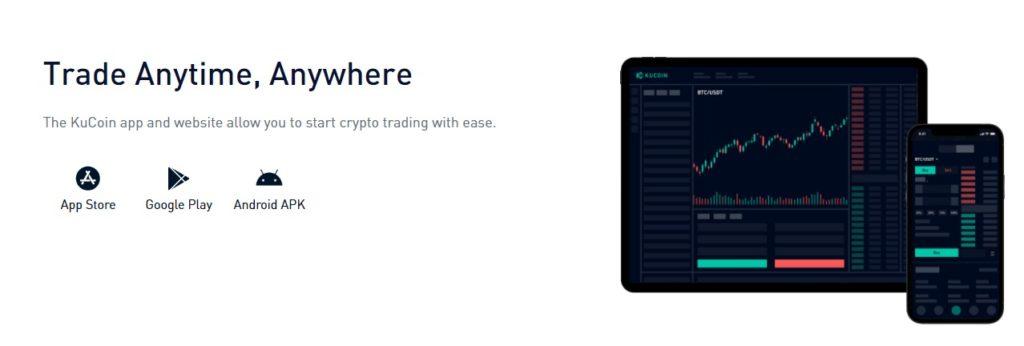
With the KuCoin app, users can buy, sell, and trade a wide range of cryptocurrencies, including Bitcoin, Ethereum, and other altcoins. The app also features two-factor authentication (2FA) and other security measures to ensure the safety of user accounts and transactions. Overall, the KuCoin app is a convenient and secure way for users to access and manage their cryptocurrency investments on-the-go.
How to Use KuCoin App (iOS and Android)
Here are the general steps to use the KuCoin app on iOS and Android:
- Download the App: Go to the App Store (for iOS) or Google Play Store (for Android), search for “KuCoin”, and download the app.
- Sign up or log in: If you’re a new user, sign up for an account on the KuCoin app. If you already have an account, log in using your username and password.
- Fund your account: To start trading, you’ll need to deposit funds into your KuCoin account. Go to the “Assets” tab and select “Deposit” to add funds via bank transfer, credit card, or other supported payment methods.
- Navigate the app: Use the bottom menu to navigate the app and access features such as “Markets”, “Assets”, and “Trading”. You can also use the search bar to find specific cryptocurrencies.
- Place an order: To buy or sell a cryptocurrency, select the “Trading” tab, choose the desired trading pair, and enter the amount and price at which you want to buy or sell. You can also use advanced order types, such as limit orders, stop-loss orders, and more.
- Monitor your portfolio: Use the “Assets” tab to view your portfolio balance and transaction history. You can also set price alerts to receive notifications when a specific cryptocurrency reaches a certain price.
- Withdraw funds: If you want to withdraw funds from your KuCoin account, go to the “Assets” tab and select “Withdraw”. Enter the amount and destination address, and follow the instructions to complete the withdrawal.
Note that the specific steps to use the KuCoin app may vary depending on your device and version of the app. It’s also important to follow best practices for cryptocurrency security, such as using two-factor authentication (2FA), choosing strong passwords, and storing your private keys securely.
KuCoin App Pro Or Cons
| PRO | CONS |
|---|---|
| User-friendly interface | Risky investment |
| Wide range of trading tools | Limited cryptocurrency selection |
| High liquidity | Possible technical issues |
| Strong security measures | Limited customer support |
Is KuCoin app safe and legit?
Yes, KuCoin app is safe and legit. The exchange is one of the most popular and secure cryptocurrency exchanges in the world. It is also regulated by the Financial Services Commission of Malta and has a robust security system that helps protect user funds.
KuCoin App Features
Trading
The KuCoin app allows users to buy, sell, and trade a wide range of cryptocurrencies, including Bitcoin, Ethereum, and other altcoins. Users can access real-time market data, price charts, and other trading tools to help them make informed trading decisions.
Security
The app implements strong security measures, such as two-factor authentication (2FA) and advanced encryption, to help protect user accounts and transactions. Users can also set up price alerts to receive notifications when a specific cryptocurrency reaches a certain price.
Funding
The app allows users to deposit and withdraw funds from their KuCoin account using a variety of payment methods, including bank transfer, credit card, and more.
Portfolio management
The app provides users with an overview of their portfolio balance, transaction history, and other key metrics. Users can also set up a watchlist of cryptocurrencies to monitor price changes.
Trading tools
The app provides users with a range of advanced trading tools, such as limit orders, stop-loss orders, and more. These tools can help users manage their trades and minimize risks.
Customer support
The app offers customer support services, including a live chat feature and a knowledge base with frequently asked questions and other resources.