



In this article, I will discuss the most effective Accounts Receivable Automation Software that allows companies to automate invoicing and payment collections, minimize the manual workload, and streamline cash flow management.
- How To Choose Accounts Receivable Automation Software
- What to Look for in Accounts Receivable Automation Software
- Key Point & Best Accounts Receivable Automation Software
- 10 Best Accounts Receivable Automation Software (2026)
- 1. HighRadius
- HighRadius Characteristics
- HighRadius – Benefits & Drawbacks
- 2. Billtrust
- Billtrust Characteristics
- Billtrust – Benefits & Drawbacks
- 3. YayPay
- YayPay Characteristics
- YayPay – Benefits & Drawbacks
- 4. Invoiced
- Invoiced Characteristics
- Invoiced – Benefits & Drawbacks
- 5. Versapay
- Versapay Characteristics
- Versapay – Benefits & Drawbacks
- 6. Tesorio
- Tesorio Characteristics
- Tesorio – Benefits & Drawbacks
- 7. Sage Intacct AR
- Sage Intacct AR Characteristics
- Sage Intacct AR – Benefits & Drawbacks
- 8. Oracle NetSuite AR
- Oracle NetSuite AR Characteristics
- Oracle NetSuite AR – Benefits & Drawbacks
- 9. Workday Financials
- Workday Financials Characteristics
- Workday Financials – Benefits & Drawbacks
- 10. Zoho Books AR
- Zoho Books AR Characteristics
- Zoho Books AR – Benefits & Drawbacks
- Risk & Considerations
- Conclusion
- FAQ
- What is Accounts Receivable Automation Software?
- Why should businesses use Accounts Receivable Automation Software?
- What are the key features of Accounts Receivable Automation Software?
- Which is the Best Accounts Receivable Automation Software for enterprises?
- How does AR automation improve cash flow management?
State-of-the-art AR solutions leverage AI for automation, real-time analytics, and easy integrations, which further optimize financial operations. We examine some of their features and key capabilities to evaluate their benefits and drawbacks, and facilitate your decision-making process for the most appropriate software.
How To Choose Accounts Receivable Automation Software
Assess Automation Capabilities: Look for options that will relieve your team’s burden by automating manual processes such as invoicing, payment reminders, cash application, collection, and reporting activities.
Match Existing ERP and Accounting Systems: Look for a solution that will integrate with your current systems, such as ERP, accounting, CRM, and payment systems, to ensure seamless data flow.
Review AI and Analytics Offering: Evaluate solutions that offer AI and Analytics for payment and collection predictions, cash flow and collection forecasts, and other useful performance analytics.
Evaluate Scalability: Choose a solution that will support your business’s growth and have the capacity to support your customers, transactions, users, and the financial complexities that may increase.
Evaluate Security and Compliance: Review platforms that secure data and are compliant with the processing of secure payments and provide restricted access.
Balance Pricing and Offerings: Balance your evaluations of pricing and costs associated with subscriptions and implementation, with the features and the Return on Investment.
Assess Ease of Use: Look for solutions that finance teams will not need much training to use due to the solutions having user-friendly and intuitive designs.
Assess Vendor Services: Choose a vendor that will provide reliable services such as customer service, technical service, support during the software’s implementation, and software updates.
Evaluate Flexibility: Look for platforms that will allow customization of workflows, reports, and automation to suit your business needs.
Forms and Demos: Review ratings and forms to get real feedback from customers on the performance of the software and use the free demos of the software.
What to Look for in Accounts Receivable Automation Software
Automated Invoicing – Create, send, and manage invoices to reduce the manual task of billing and improve accuracy.
Payment Reminder Automation – Automatically send reminders to customers for pending/overdue payments to assist in collections.
Cash Application Automation – Match incoming payments to invoices reducing the pain of reconciliation and eliminating errors.
AI Collections Management – Implements artificial intelligence to best rank and order collection tasks and to forecast customer payment behavior.
AR Analytics – Dashboards and reports that provide the status of receivables and collections, outstanding invoices, payments and cash flow.
Customer Payment Portals – Self-service portals that permit customers to view and pay invoices and manage their accounts.
ERP and Accounting Integration – Automated integration to ERP, accounting, CRM and payment systems.
Automated Workflow Management – Custom collections/approval workflow for automated collection, payment, and dispute processing.
Credit Risk Assessment – Evaluates customer payment behavior to more accurately assess credit risk.
Multi-Currency Transactions – Automated processing of global payments.
Dispute Management – Invoice dispute tracking with automated messaging to resolve disputes faster.
Cash Flow Predictions – Estimate cash availability based on historical payment data.
Digital Payment Processing – Automated processing of ACH, cards, bank transfers, and other payment gateways.
Reporting and Dashboards – Detailed financial reports that track AR performance.
Security and Compliance – Financial data encryption with restricted user access and features for regulatory compliance.
Key Point & Best Accounts Receivable Automation Software
1. HighRadius
- AI-powered accounts receivable automation for large enterprises.
- Automates cash application, collections, deductions, and invoicing.
- Provides real-time AR analytics and payment forecasting.
- Reduces manual processes and improves cash flow visibility.
- Integrates with major ERP and accounting systems.
2. Billtrust
- Cloud-based AR automation platform for B2B businesses.
- Simplifies electronic invoicing and digital payment processing.
- Automates customer billing and collections workflows.
- Improves payment speed with self-service customer portals.
- Offers AI-driven accounts receivable insights.
3. YayPay
- Automated collections management software for finance teams.
- Uses AI to predict customer payment behavior.
- Streamlines invoice tracking and payment reminders.
- Provides real-time AR dashboards and reporting.
- Helps reduce overdue invoices and improve DSO.
4. Invoiced
- Automates invoicing, billing, and payment collection processes.
- Provides customizable invoice creation and workflows.
- Supports online payments and recurring billing.
- Helps businesses manage customer accounts efficiently.
- Offers AR reporting and financial insights.
5. Versapay
- Collaborative accounts receivable automation platform.
- Combines invoicing, payments, and customer communication tools.
- Improves customer payment experiences through portals.
- Reduces invoice disputes with collaboration features.
- Integrates with popular ERP platforms.
6. Tesorio
- AI-driven cash flow and AR management platform.
- Predicts payment timing using machine learning.
- Automates collections tasks and customer follow-ups.
- Provides accurate cash flow forecasting.
- Helps finance teams optimize working capital.
7. Sage Intacct AR
- Cloud accounting solution with AR automation features.
- Automates invoicing, payment tracking, and collections.
- Provides detailed financial reporting and analytics.
- Supports multi-entity and multi-currency accounting.
- Integrates with business management applications.
8. Oracle NetSuite AR
- Enterprise resource planning solution with AR capabilities.
- Automates billing, collections, and payment processing.
- Provides real-time financial visibility and reporting.
- Supports global transactions and multiple currencies.
- Integrates AR with complete ERP workflows.
9. Workday Financials
- Enterprise financial management platform with AR tools.
- Automates billing and revenue management processes.
- Provides real-time financial data and analytics.
- Supports complex enterprise accounting operations.
- Enhances automation through AI and machine learning.
10. Zoho Books AR
- Affordable accounting software with AR automation features.
- Automates invoices, payment reminders, and collections.
- Tracks outstanding receivables efficiently.
- Provides customer payment portals.
- Ideal for small and medium-sized businesses.
10 Best Accounts Receivable Automation Software (2026)
1. HighRadius
HighRadius is best for large enterprises looking to optimize their order to cash automation. HighRadius employs AI to automate cash applications, collections, credit, invoicing, and deductions.
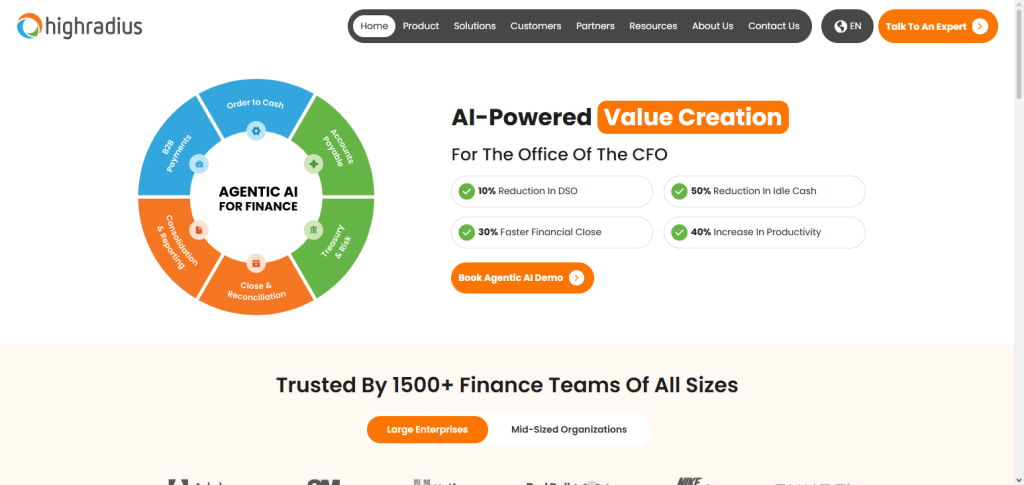
Finance teams benefit from HighRadius’ decrease in manual processes, improved speed in payments, and enhanced visibility of cash flow.
HighRadius’ cash flow dashboards and analytic tools are real-time. HighRadius integrates with ERP systems (SAP, Oracle, and Microsoft Dynamics). HighRadius’ automation and AI improve efficiencies and speed of collections for accounts receivable.
HighRadius Characteristics
- Excellent automation for collections, application of payments, and invoice processing thanks to AI.
- Enhances AR analytics and cash flow prediction.
- Automates client communication and payment notifications.
- Integrates with any major ERP systems (SAP, Oracle).
- Helps organizations manage working capital and reduce DSO.
HighRadius – Benefits & Drawbacks
| Benefits | Drawbacks |
|---|---|
| AI-powered automation improves collections and cash application. | Higher pricing may not fit small businesses. |
| Provides real-time AR analytics and forecasting. | Implementation can require significant time. |
| Reduces manual invoice and collection processes. | Requires training for advanced features. |
| Improves cash flow visibility and working capital control. | Best suited for large enterprises. |
| Integrates with major ERP systems like SAP and Oracle. | Customization may require technical support. |
2. Billtrust
Billtrust Billing Automation Solutions is top rated among Best Accounts Receivable Automation Software . Billing, invoicing, payments, and collections processes get easier with Billtrust because it offers an all-in-one digital accounts receivables solution.
Billtrust helps companies bolster cash flow by decreasing payment lag and increasing the rate of electronic payments. Client access to the customer payment portal makes payment and invoice issues easy to solve.
Billtrust offers the automation and analytics tools that assist the user with finance decisions. Billtrust integrates well with the most popular ERP systems and is a good choice for enterprises attempting to modernize their AR processes.
Billtrust Characteristics
- Cloud-based system for automated invoice generation and payment collection.
- Creates digital bills and customer payment portals.
- Automates AR and collections processes.
- Advanced reporting and payment analysis.
- Integrates with all major ERPs and accounting systems.
Billtrust – Benefits & Drawbacks
| Benefits | Drawbacks |
|---|---|
| Automates invoicing, billing, and payment workflows. | Pricing may be expensive for smaller companies. |
| Provides digital payment portals for customers. | Setup and integration can take time. |
| Improves invoice processing speed and accuracy. | Advanced features may require additional configuration. |
| Helps reduce payment delays and improve cash flow. | Requires user training for complete utilization. |
| Offers strong AR reporting and analytics tools. | May be complex for basic AR requirements. |
3. YayPay
YayPay is AI-powered software for automating accounts receivable that helps finance teams modernize collections and manage customer payments. YayPay uses predictive analytics to study customer payments and assess risks before the due date of the invoice.
YayPay automates customer reminders and the tasks of collections, invoice, and communications workflows, while also managing the accounts receivable team’s workload. It offers real-time dashboards for oversight to businesses of creditors and payments collection and their respective trends.
YayPay connects with accounting and ERP systems for greater visibility to receivables, and helps businesses digitally reduce their days sales outstanding while keeping healthy customer relationships.
YayPay Characteristics
- Uses AI-backed insights to forecast customers’ payment trends.
- Collection tasks and communication are automated.
- Central dashboards for tracking AR.
- Collections and reduction of past due invoices improves.
- All accounting and ERP systems integrate for data accuracy.
YayPay – Benefits & Drawbacks
| Benefits | Drawbacks |
|---|---|
| Uses AI to predict customer payment behavior. | Limited features compared to full ERP solutions. |
| Automates reminders and collection activities. | Integration may require technical assistance. |
| Provides real-time AR dashboards and insights. | Pricing can increase with business expansion. |
| Helps reduce overdue invoices and DSO. | Requires accurate financial data for predictions. |
| Improves communication between finance teams and customers. | Not suitable for highly complex accounting operations. |
4. Invoiced
Invoiced is a flexible software supportingaccounts receivable automation that simplifies invoicing, billing, and payment collection. No matter the size of your business, Invoiced helps create professional invoices and automate payment reminders.
Invoiced helps manage customer accounts with online payments and features like recurring billing, automated workflows, and real-time reporting. Invoiced helps improve business finances by cutting manual invoice processes and length of time to receipt payments.
Invoiced integrates with accounting and gives businesses the ability to monitor balances and see customer payment history. Invoiced helps businesses easy, simple, flexible, adaptable, and a powerful solution to manage accounts receivable!
Invoiced Characteristics
- Invoice generation and billing are automated and simplified.
- Automates online payment collection and billing.
- Payment reminders are automatically sent to customers.
- Payment and invoice tracking are done in real time.
- Flexible workflows to fit all business sizes.
Invoiced – Benefits & Drawbacks
| Benefits | Drawbacks |
|---|---|
| Simplifies invoice creation and billing automation. | Lacks advanced enterprise-level AR features. |
| Supports recurring billing and online payments. | Reporting tools may be limited for large companies. |
| Automates payment reminders and tracking. | Fewer customization options than enterprise platforms. |
| Easy-to-use interface for businesses. | Not ideal for complex financial workflows. |
| Helps reduce manual accounting tasks. | Some integrations may require extra setup. |
5. Versapay
Versapay is a form of collaborative Best Accounts Receivable Automation Software, integrating invoicing, payments, and customer messaging into a single solution. This software helps businesses simplify customer payment experiences while automating AR.
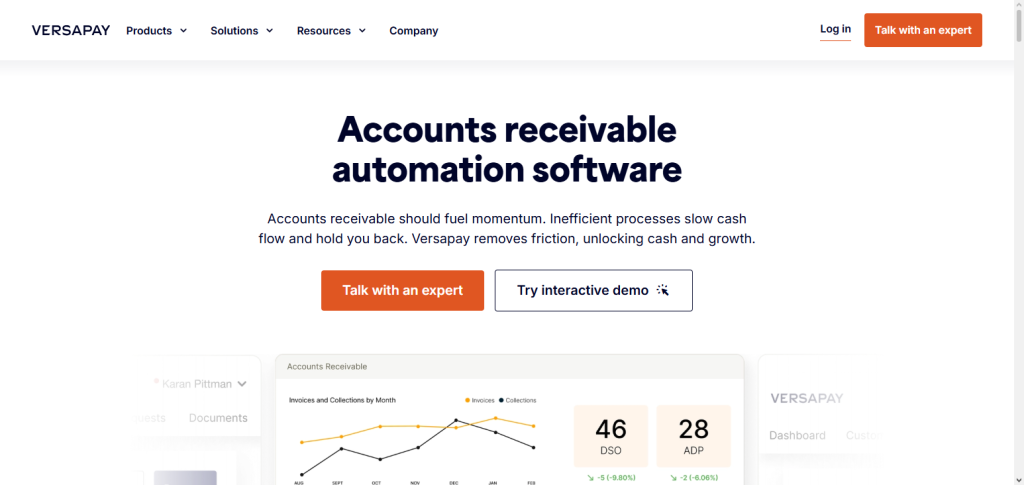
Features on the software include management for disputes and digital invoicing with payment options and customer collaboration. It reduces the frustrating delays in payments by providing a secure communication portal between businesses and their customers.
It helps businesses by allowing real time assessment of accounts and improved automation of collections. This software integrates with major ERP systems, and works best for businesses looking to alleviate their customer concerns and modernize their AR.
Versapay Characteristics
- Engages customers and improves the payment experience.
- Combines customer collaboration, invoicing, and payment modules.
- Digital invoicing and self-service payment portals.
- Invoicing and payment automation along with dispute communication are simplified.
- Integrates with ERPs for financial operations.
Versapay – Benefits & Drawbacks
| Benefits | Drawbacks |
|---|---|
| Improves customer collaboration through digital portals. | Pricing may be high for small businesses. |
| Automates invoicing and payment collection processes. | Requires ERP integration for maximum benefits. |
| Reduces invoice disputes and payment delays. | Implementation may take time. |
| Provides real-time AR visibility and reporting. | Advanced features may need customization. |
| Enhances customer payment experience. | May be complex for simple AR needs. |
6. Tesorio
The Accounts Receivable Automation Software uses AI technology to manage company workflows and enhance cash flow and collection forecasting. The software’s machine learning technology builds models based on customer data to predict the likelihood and timing of payment.
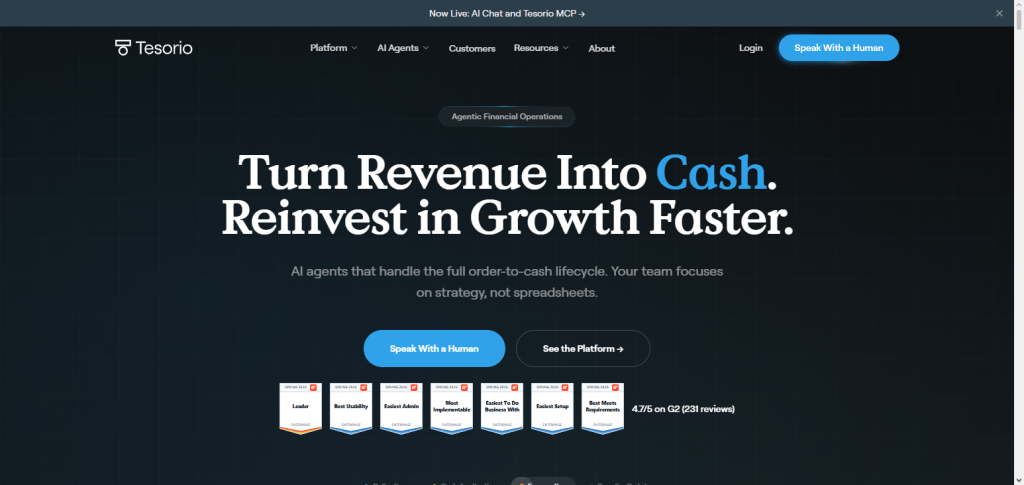
In addition to many other collection automation features, Tesorio automates the cash flow reporting process. Collection teams can employ the software to target and collect from customers with the predicted highest payment willingness and likelihood. RealTime Dashboards are provided to collection teams to enable greater visibility and control of Accounts Receivable.
The combination of automation and predictive technology is used to help businesses reduce the Accounts Receivable portfolio and Payments and Collections work and improve the financial position.
Tesorio Characteristics
- Cash flow automation and AR forecasting with AI.
- Uses ML to understand how customers will pay and when.
- Automates collection and follow-up.
- Offers visibility of cash flow and analytics.
- Allows finance teams to strengthen their management of working capital.
Tesorio – Benefits & Drawbacks
| Benefits | Drawbacks |
|---|---|
| Provides AI-powered cash flow forecasting. | Focuses mainly on AR and cash management. |
| Automates collections and payment follow-ups. | Requires integration with accounting systems. |
| Helps improve working capital management. | Pricing may not suit small companies. |
| Provides predictive payment insights. | AI results depend on data quality. |
| Improves finance team productivity. | Not a complete ERP accounting solution. |
7. Sage Intacct AR
Sage Intacct AR is an award-winning, fully integrated automation tool within the Sage Intacct cloud accounting platform. Sage Intacct AR makes the laborious process of invoicing, tracking payments and their collections, as well as financial reporting, easier and faster, and even enjoyable.
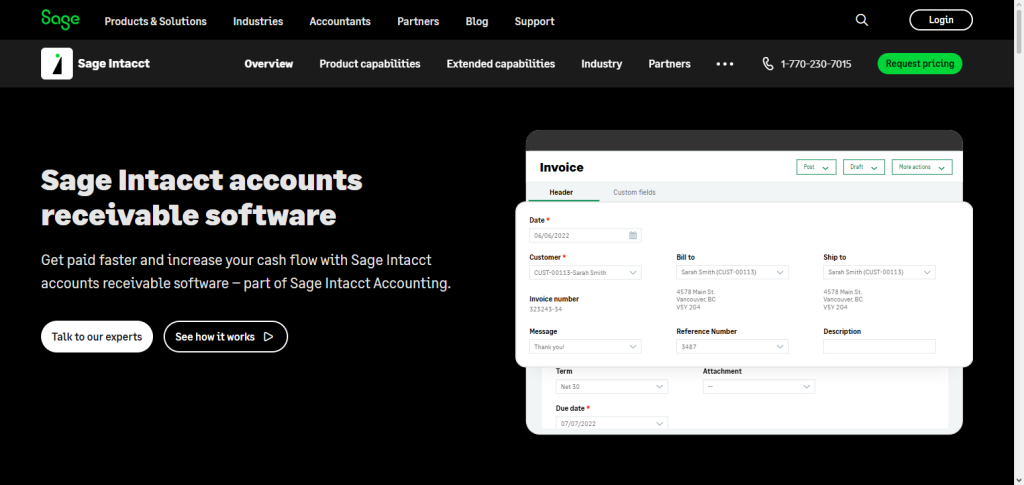
Sage Intacct AR provides the user with instantaneous information regarding customer balances, overdue invoices and cash flow. Sage Intacct AR is multi-entity and multi-currency, and is equipped to handle the most advanced accounting challenges.
It easily integrates with the most popular business applications. Sage Intacct AR is the best solution for developing businesses with their accounting and receivable automation needs.
Sage Intacct AR Characteristics
- Automated AR functionality in a cloud accounting solution.
- Offers invoice and payment collections, along with automated collections.
- Offers immediate access to financial reporting and analytics.
- Manages all accounting for multiple business units and multiple currencies.
- Builds enhanced workflows by integrating with other business solutions.
Sage Intacct AR – Benefits & Drawbacks
| Benefits | Drawbacks |
|---|---|
| Provides cloud-based AR automation capabilities. | Higher cost compared with basic accounting tools. |
| Supports multi-entity and multi-currency accounting. | Requires training for advanced functionality. |
| Offers detailed financial reports and analytics. | Setup and customization can take time. |
| Reduces manual accounting errors. | May be complex for small businesses. |
| Integrates with business applications. | Some features require additional modules. |
8. Oracle NetSuite AR
Oracle NetSuite AR is a NetSuite ERP solution and the best accounts receivable automation software. It includes full automation for billings and collections. This program allows companies to control their receivables along with their financial, inventory, and customer operations. NetSuite automates the processes of payment requests, cash application and analysis, and report generation.
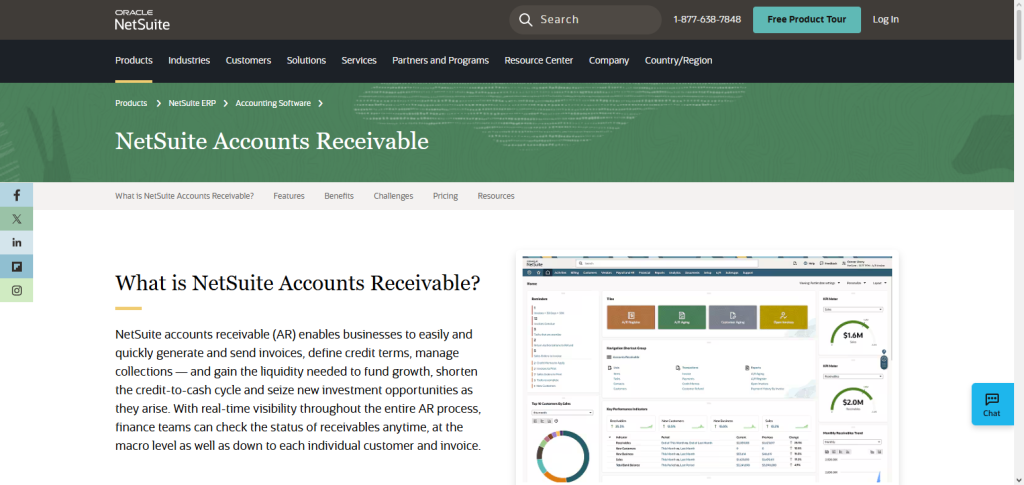
Oracle NetSuite AR also renders organizations the ability to view their financial standing at any given moment through its customizable dashboards. The program also facilitates organizations that operate internationally with its multi-currency function.
Oracle NetSuite AR further assists companies in maintaining healthy cash flow, lessens their burden with repetitive office functions, and increases their control over their finances.
Oracle NetSuite AR Characteristics
- Enterprise AR solution as part of NetSuite ERP.
- Automated billing and payments/invoices.
- Offers real-time reporting and financial dashboards.
- Provides support for global transactions and multiple currencies.
- Centralized management of customer receivables.
Oracle NetSuite AR – Benefits & Drawbacks
| Benefits | Drawbacks |
|---|---|
| Provides complete AR management within ERP. | Expensive for small and medium businesses. |
| Automates billing, invoicing, and collections. | Implementation can be lengthy. |
| Supports global transactions and multiple currencies. | Requires professional customization support. |
| Provides real-time financial reporting. | Users need training for advanced tools. |
| Scales with growing enterprise requirements. | May include unnecessary features for small firms. |
9. Workday Financials
Workday Financials is a Best Accounts Receivable Automation Software in the market for big businesses with sophisticated financial requirements.
Workday Financials automates much of the billing, receivables tracking, revenue management, and financial reporting processes. Workday gives customers real-time access to their financial data so they can make quicker, more accurate decisions.
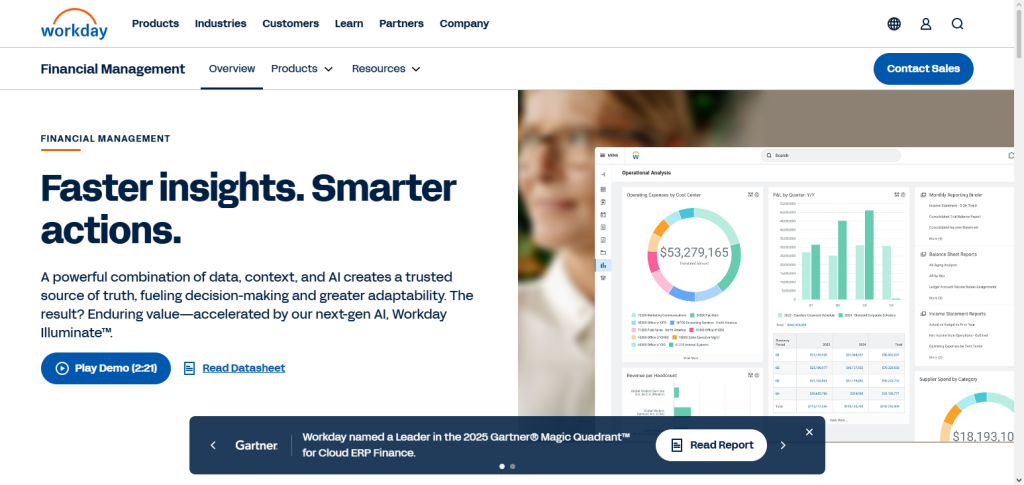
. Workday uses automation and intelligent analytics to refine collection strategies and reduce manual accounting work. Workday Financials works with the needs of large Enterprises that have complex, global operations and numerous business units and have sophisticated compliance needs.
Because of its cloud-based infrastructure, Workday Financials allows its customers streamlined financial workflows and improved overall accounts receivable results.
Workday Financials Characteristics
- Cloud financial management solution with AR automation.
- Offers real-time financial visibility.
- Automated billing, revenue, and reporting.
- Provides enhanced decision analytics for finance.
- Meets enterprise grade complexity for accounting.
Workday Financials – Benefits & Drawbacks
| Benefits | Drawbacks |
|---|---|
| Provides enterprise-grade financial automation. | Mainly designed for large organizations. |
| Offers real-time financial insights and analytics. | High implementation costs. |
| Automates billing and revenue management. | Requires employee training. |
| Supports complex global financial operations. | Customization may require expert assistance. |
| Improves financial planning and decision-making. | Not suitable for small business accounting. |
10. Zoho Books AR
Zoho Books AR is a cost-efficient Accounts Receivable Automation Software option focused on small and medium-sized businesses and their needs for management of invoices, payments, and customer accounts.
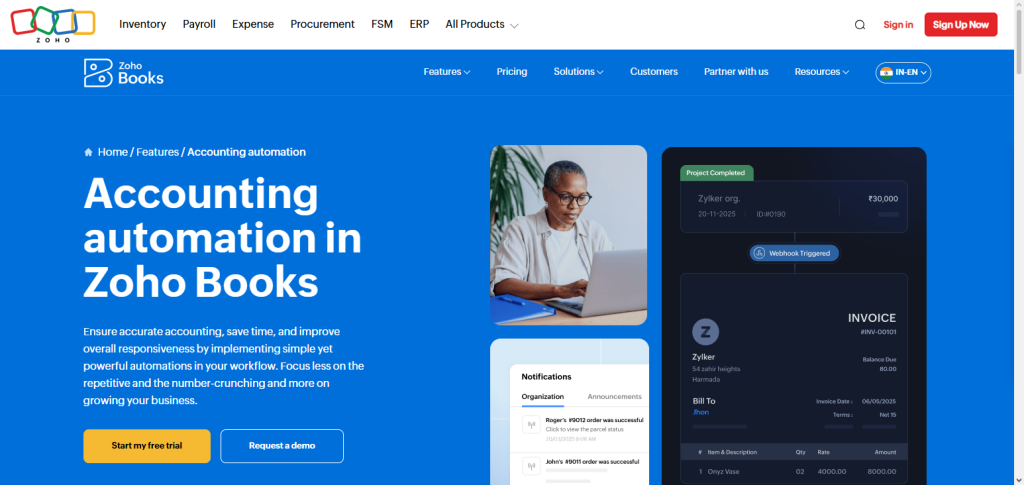
The software helps users automate the creation of invoices, payment reminders, billing cycles, and tracking of receivables. Through Zoho Books, businesses can set up a customer portal so that clients can see invoices, make payments, and send messages to the business.
The tool helps users see financial statements and cash flow in real time, and it can be integrated with other Zoho products. This software helps businesses do less manual work for accounting and helps businesses get paid faster. Because of its easy to use design and low price, Zoho Books AR is a great option for small and medium-sized businesses that need automated receivable management.
Zoho Books AR Characteristics
- Low-cost AR solution for automation for SMBs.
- Automated invoicing, payment reminders, and tracking receivables.
- Offers customer portals for payment facilitation.
- Offers cash flow and financial reporting.
- Integrates with other Zoho solutions and 3rd party solutions.
Zoho Books AR – Benefits & Drawbacks
| Benefits | Drawbacks |
|---|---|
| Affordable AR automation solution for small businesses. | Limited advanced enterprise features. |
| Automates invoices and payment reminders. | Not ideal for complex global accounting. |
| Provides customer payment portals. | Reporting options are basic compared to enterprise tools. |
| Easy setup and user-friendly interface. | Limited customization capabilities. |
| Integrates with Zoho ecosystem applications. | Better suited for small and medium businesses. |
Risk & Considerations
Complex Setup: Setting up AR automation software may take time and highly specialized skills to adjust existing business processes.
Difficult Integrations: Existing ERP systems, accounting software, or payment processing systems may prove difficult for full software integration.
Security Risks: Automation of AR processes may require stronger data protection of financial and client records to prevent data breaches.
Substantial Upfront Investment: Software licensing, customization, training, and high implementation costs have to be considered.
Staff Training: Finance staff may need to be trained to use new automation processes.
Data Dependence: Automation relies on the accuracy of data pertaining to customers, invoices, and payments.
Lack Customization: Some solutions may not allow for sufficient business workflow customizations.
Assured Quality: Businesses should consider vendor reputation, customer support, and reliability of the software prior to selection.
Room for Growth: Companies should be assured the software can support the future growth of the business and increased transactions.
Regulatory Automation: Businesses need to ensure the software is compliant with framework financial regulations and the automation is compliant with the appropriate tax rules.
Errors Due to Automation: Payment matching and reporting may be incorrect due to system errors and configuration.
Old vs New Automation: Without proper communication and adequate time to adjust, employees will be reluctant to adapt to the automation processes.
Conclusion
Selecting effective accounts receivable automation software improve invoice automation, ease collecting payments, decrease lateness in payments, and enhance cash flow management.
Options like HighRadius, Billtrust, YayPay, and Versapay sell sophisticated automation tools that utilize AI. More affordable tools that utilize AI, like Zoho Books AR and Sage Intacct AR, are available for the smaller and medium sized firms.
Oracle NetSuite AR and Workday Financials sell advanced AR automation systems available for larger firms. The correct AR automation system streamline processes, reduce effort, and strengthen financial operations when choosing a system that matches the level of the firm’s size and the firms integration and operations.
FAQ
What is Accounts Receivable Automation Software?
Accounts Receivable Automation Software is a technology solution that automates invoice creation, payment tracking, collections, cash application, and customer communication. It helps businesses reduce manual accounting tasks, improve payment accuracy, and accelerate cash flow.
Why should businesses use Accounts Receivable Automation Software?
Businesses use Accounts Receivable Automation Software to streamline billing processes, reduce overdue payments, improve collection efficiency, minimize errors, and gain real-time visibility into outstanding receivables and cash flow performance.
What are the key features of Accounts Receivable Automation Software?
The main features include automated invoicing, payment reminders, cash application, collection workflow automation, customer portals, AR reporting, analytics dashboards, ERP integration, and AI-powered payment predictions.
Which is the Best Accounts Receivable Automation Software for enterprises?
HighRadius, Billtrust, Oracle NetSuite AR, and Workday Financials are among the top Accounts Receivable Automation Software solutions for enterprises because they provide advanced automation, AI capabilities, scalability, and integration with large financial systems.
How does AR automation improve cash flow management?
AR automation improves cash flow by reducing invoice processing time, speeding up customer payments, identifying overdue accounts, and providing accurate forecasts of expected revenue collections.