


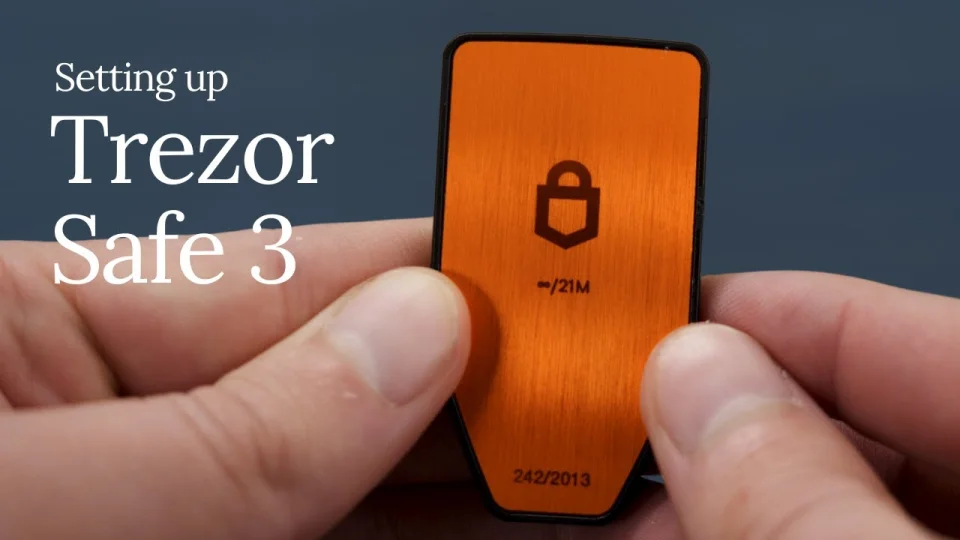


This article outlines the best Trezor Safe 3 Wallet personalization features included in Trezor’s advanced features, which are designed to provide privacy, security, and greater user control.
Advanced features that include PIN and passphrase protections as well as Shamir Backup and transaction verification features help each user customize their hardware wallet; in turn, protecting the user’s digital assets and providing safe, long-term storage.
Key Point & Top Customization Settings for Trezor Safe 3 Wallet
| Customization Setting | Key Points |
|---|---|
| PIN Code Customization | • Set strong numeric PIN for device access• Randomized keypad layout increases security• Protects wallet from physical theft• Supports PIN change anytime• Multiple failed attempts trigger delays |
| Passphrase Protection | • Adds hidden wallet layer security• Creates multiple secret wallets• Protects funds even if recovery seed leaks• User-controlled passphrase storage• Ideal for advanced privacy users |
| Custom Homescreen Image | • Personalize wallet display screen• Easy device identification• Prevents device swap attacks• Supports custom image uploads• Enhances user experience |
| Firmware Update Preferences | • Manual firmware approval control• Security patches and improvements• Verify firmware authenticity• Prevent unauthorized updates• Keeps device protection current |
| Coin Visibility Settings | • Show or hide selected cryptocurrencies• Cleaner wallet interface• Faster asset management• Supports multi-coin portfolios• Improves navigation efficiency |
| Account Labeling | • Assign custom labels to accounts• Easier transaction tracking• Organized portfolio management• Helpful for multiple wallets• Improves usability clarity |
| Custom Wallet Naming | • Rename wallets for easy recognition• Separate personal and business funds• Better asset organization• Reduces transaction mistakes• Useful for multi-account users |
| Security Timeout Settings | • Auto-lock after inactivity• Prevents unauthorized access• Adjustable lock duration• Enhances physical security• Recommended for shared environments |
| Transaction Confirmation Style | • Customize approval workflow• Clear transaction verification display• Prevent phishing transactions• Manual confirmation required• Improves transaction transparency |
| Shamir Backup Setup | • Split recovery seed into multiple shares• Advanced disaster recovery protection• No single point of failure• Flexible recovery combinations• Ideal for long-term crypto storage |
1. PIN Code Customization
The first line of defense designed to protect access to your hardware wallet is the PIN Code Customization feature. Users can establish a robust 4-digit numeric PIN, which is required each time the device is disconnected or unlocked.

The device’s screen displays a randomized keypad, making your PIN protected from malware or other types of screen capturing. Regularly changing the PIN Code enhances protection against the risk of physical theft.
As one of the Top Customization Settings For Trezor Safe 3 Wallet, this feature is crucial to preventing unauthorized access and brute-force attempts to access your crypto assets, as only authorized users will now be able to access your private keys.
PIN Code Personalization — Features
- Personal choice for numeric PIN for device entry.
- Keypad pin layout automatically configured for further protection.
- Change PIN protection at user’s discretion.
- Great protection against brute-force attacks.
- Session unlocking escalated protectively.
PIN Code Customization Why It Matters
| Why It Matters | Explanation |
|---|---|
| Device Access Protection | Prevents unauthorized users from unlocking the wallet |
| First Security Layer | Acts as the primary authentication barrier |
| Anti-Theft Safety | Protects funds if the device is stolen |
| Brute-Force Resistance | Failed attempts increase waiting time |
| User Control | Allows secure PIN changes anytime |
2. Passphrase Protection
The first line of defense designed to protect access to your hardware wallet is the Passphrase Protection feature. Users can establish a robust 4-digit numeric PIN, which is required each time the device is disconnected or unlocked.

The device’s screen displays a randomized keypad, making your PIN protected from malware or other types of screen capturing. Regularly changing the PIN Code enhances protection against the risk of physical theft.
As one of the Top Customization Settings For Trezor Safe 3 Wallet, this feature is crucial to preventing unauthorized access and brute-force attempts to access your crypto assets, as only authorized users will now be able to access your private keys.
Passphrase Security — Features
- Hidden wallets are created secured by a recovery seed.
- An efinite number of passphrases for secret wallets.
- Added protection beyond the PIN.
- A wallet remains hidden until passphrase entered.
- Advanced users of crypto will value the privacy.
Passphrase Protection Why It Matters
| Why It Matters | Explanation |
|---|---|
| Hidden Wallet Security | Creates invisible wallets for privacy |
| Seed Phrase Protection | Funds stay safe even if seed leaks |
| Multi-Wallet Management | Enables separate wallet environments |
| Advanced Privacy | Keeps holdings confidential |
| Extra Authentication | Adds another protection layer |
3. Custom Homescreen Image
Users have the option to customize the wallet to their liking by changing the default display to any image or design of their choice. This option may appear to offer a customizable cosmetic touch, but it serves a greater purpose: security. As users can easily recognize their device, the risk of swap attacks or counterfeit replacements is eliminated.

Customization improves day-to-day interactions with the device by giving users confidence to verify the device’s authenticity. In the Top Customization Settings for Trezor Safe 3 Wallet, this feature provides a balance of aesthetic customization and functional protection by letting users interact with their genuine hardware wallet while providing a unique and personalized experience for their crypto management.
Custom Home Screen Image — Features
- Custom backgrounds can be uploaded.
- The device can be authenticated visually.
- A device can be easily located among others.
- Personal images can be selected.
- The user interface is further developed.
Custom Homescreen Image Why It Matters
| Why It Matters | Explanation |
|---|---|
| Device Identification | Quickly recognize your wallet |
| Anti-Swap Protection | Prevents device replacement scams |
| Personalization | Improves ownership confidence |
| Visual Verification | Confirms authentic device usage |
| Better User Experience | Makes wallet interaction easier |
4. Firmware Update Preferences
Firmware Update Preferences determine how and when wallet software is updated. Traditionally, firmware updates contain new coin integrations that enhance performance.

Trezor takes it a step further by making users approve the update on the device, which ensures that the firmware is official. For users of the Top Customization Settings for Trezor Safe 3 Wallet, the ability to manage firmware updates preferably ensures protection from malicious software threats and maximizes the wallet’s capacity to support new security protocols and blockchain technologies.
Firmware Updates Choices — Features
- Updates can be installed only after verification.
- Updates can be installed only after verification through the official software.
- Security is protected with updates.
- New cryptos can be released through the updates.
- The integrity of the device can be verified with updates.
Firmware Update Preferences Why It Matters
| Why It Matters | Explanation |
|---|---|
| Security Updates | Fixes vulnerabilities regularly |
| Malware Protection | Blocks unauthorized firmware |
| Feature Improvements | Adds new wallet capabilities |
| Blockchain Compatibility | Supports new coins and updates |
| Stability Enhancement | Improves performance reliability |
5. Coin Visibility Settings
With Coin Visibility Settings, users can select which of the supported cryptocurrencies they want to display in the wallet. This is an incredibly popular feature, as it is one of the top Customization Settings for the Trezor safe 3 Wallet.

By simplifying your display to only show the assets you regularly use, the system is made more user-friendly and efficient. Asset tracking and account management deployments become easier for users with more extensive and larger crypto portfolios.
While users have the option to hide the presence of certain cryptocurrencies and digital assets, these remain saved and stored in the system and are ultimately more organized. Users monitoring their crypto investments have a more focused and distraction-free environment.
Coin Visibility Options — Features
- Certain crypto can be shown or kept hidden.
- An organized dashboard.
- Assets can be located easily.
- Many coins can be managed.
- A simplified wallet view.
Coin Visibility Settings Why It Matters
| Why It Matters | Explanation |
|---|---|
| Clean Interface | Removes unused coins from view |
| Portfolio Focus | Shows only active assets |
| Faster Navigation | Improves wallet usability |
| Organized Dashboard | Simplifies asset monitoring |
| Efficient Management | Helps large portfolio users |
6. Account Labeling
Account Labeling is a feature that is meant to add clarity to the accounts users have established for a cryptocurrency wallet by allowing them to name each one of their accounts separately. Therefore, users have the ability to separate accounts meant for trading, holdings, savings, etc.

Furthermore, This enhances the organization of multiple accounts as users can manage funds for different purposes. This solution decreases the likelihood that users will mistakenly fund accounts, which brings clarity to the transactional process. Account label is one of the top Customization Settings for the Trezor Safe 3 Wallet.
Account Naming — Features
- Account names can be changed.
- Transactions can be organized.
- Simple overview of assets.
- Many wallets can easily be managed.
- Identification of accounts is improved.
Account Labeling Why It Matters
| Why It Matters | Explanation |
|---|---|
| Easy Identification | Names accounts clearly |
| Transaction Accuracy | Reduces sending errors |
| Portfolio Tracking | Improves financial organization |
| Multi-Account Support | Useful for several wallets |
| Better Record Keeping | Simplifies asset management |
7. Custom Wallet Naming
With Custom Wallet Naming, users can label wallets as they wish or categorize wallets to suit preferences and needs. This feature is valuable for customers with numerous passphrase wallets, wallets with shared funds, and wallets with funds set aside for long-term investments. Naming wallets makes managing them easier to do and lessens the risk of errors or confusion while dealing with transactions and backups.

Being one of the Top Customization Settings for Trezor Safe 3 Wallet, this feature enhances the security of operations by reducing the chances of errors. Wallets can be clearly identified to ensure users know the account they are accessing, which helps to reduce errors while moving funds or executing significant activities relating to the wallet.
Wallet Naming — Features
- Must be able to rename wallets according to their intended purpose
- Must be able to keep personal and work accounts separate
- Enables easy identification of passphrase wallets
- Offers wallet segregation
- Provides clarity to operations
Custom Wallet Naming Why It Matters
| Why It Matters | Explanation |
|---|---|
| Wallet Organization | Separates funds logically |
| Error Prevention | Avoids wrong wallet usage |
| Multi-Wallet Clarity | Helps manage different accounts |
| User Convenience | Easier navigation experience |
| Operational Safety | Reduces transaction mistakes |
8. Security Timeout Settings
Security Timeout Settings determine how long the device stays unlocked before it locks itself. The timers for inactivity are adjustable so users can decide on a personal preference between convenience and security. Auto-locking impedes unwanted access to the device if it is left on its own or is connected to a PC.

This feature, being one of the Top Customization Settings for Trezor Safe 3 Wallet, is especially beneficial for physical security when users are working in a shared space or in public. By setting a feature that makes the device lock itself, users’ exposure to the device being accessed without their consent is reduced, thus increasing the security of the users’ cryptocurrency holdings.
Security Timeout Settings – Features
- Device locks automatically after a period of inactivity
- Timeout duration options are adjustable
- Unauthorized access is prevented when the device is idle
- Augments protection of physical security
- Applicable to all linked sessions
Security Timeout Settings Why It Matters
| Why It Matters | Explanation |
|---|---|
| Auto Lock Protection | Locks wallet after inactivity |
| Physical Security | Prevents unattended access |
| Custom Security Level | Adjustable lock duration |
| Shared Device Safety | Protects in public environments |
| Risk Reduction | Limits exposure time |
9. Transaction Confirmation Style
Transaction Confirmation Style allows users to set their preference for displaying transaction details. Users must always manually check addresses, amounts, and fees before confirming transfers to prevent phishing or malware attacks.

Confirmation customization settings allow users to check and confirm transaction details. Including Top Customization Settings for Trezor Safe 3 Wallet, this feature confirms the principle of Trust, Control and Transparency in relation to sending digital assets in a secure manner.
Transaction Confirmation Style – Features
- Validation of transactions on the device
- Manual transaction sending is required
- Displays the destination address, amount, and fees
- Guard against phishing
- Offers confirmation of transactions to enhance convenience
Transaction Confirmation Style Why It Matters
| Why It Matters | Explanation |
|---|---|
| Manual Approval | Requires user verification |
| Anti-Phishing Defense | Stops malicious transactions |
| Clear Transaction View | Displays full transfer details |
| User Control | Confirms before sending crypto |
| Secure Authorization | Ensures trusted transaction signing |
10. Shamir Backup Setup
Shamir Backup Setup creates more advanced recovery options for users of Trezor Safe 3, due to the fact that recovery is no longer a single phrase, but a number of recovery shares/phrases.

Users can decide how many recovery shares are needed to regain recovery of the phrase, therefore no longer creating a single point of failure. Each share can be stored in separate locations, addressing the risks of theft, loss, and disasters.
Recognized as one of the Top Customization Settings for Trezor Safe 3 Wallet, the Shamir Backup offers the level of security users expect from a long-term investment of crypto.
Shamir Backup Setup – Features
- Recovery seed is broken into a number of shares for backup
- Recovery threshold is adjustable
- Secure and controlled backup is distributed
- Eliminates single point of failure
- Provides system for recovery in the event of a catastrophic loss
Shamir Backup Setup Why It Matters
| Why It Matters | Explanation |
|---|---|
| No Single Failure Point | Splits recovery into multiple shares |
| Disaster Protection | Prevents total loss of access |
| Distributed Backup | Store shares in different locations |
| Advanced Recovery | Flexible restoration process |
| Long-Term Security | Ideal for large crypto holdings |
Conclusion
Trezor Safe 3 prioritizes your safety with custom settings for every Trezor Safe 3 Wallet. Change and configure your preferences for Shamir Backups, PIN, and Passphrase. You can even choose how you want to confirm your transactions.
Every option makes it more convenient for you and improves the wallet’s safety. These advanced options allow a balance of your privacy and how you want to organize the wallet’s contents. Configure the safety features to your liking to keep your crypto assets safe for the long run.
FAQ
What are the customization settings in the Trezor Safe 3 wallet?
Customization settings allow users to personalize security, interface, and wallet management features. These include PIN protection, passphrase wallets, firmware controls, coin visibility options, custom naming, timeout settings, and advanced backup configurations designed to improve both safety and usability.
Why are customization settings important for hardware wallet security?
Customization settings help strengthen protection against hacking, physical theft, and user errors. Proper configuration ensures only authorized access, secure transaction verification, and safe recovery options, making them essential for protecting long-term cryptocurrency holdings.
Is passphrase protection necessary for beginners?
Passphrase protection is optional but highly recommended. Beginners can start without it, but advanced users benefit from hidden wallets and additional privacy. It provides extra protection even if someone gains access to the recovery seed phrase.
Can I change my PIN or security settings later?
Yes, most customization settings such as PIN code, auto-lock timeout, wallet names, and coin visibility can be modified anytime through the wallet interface without affecting stored funds.